 Chiho AI
Prepare Telegram Workflows for AI Agents
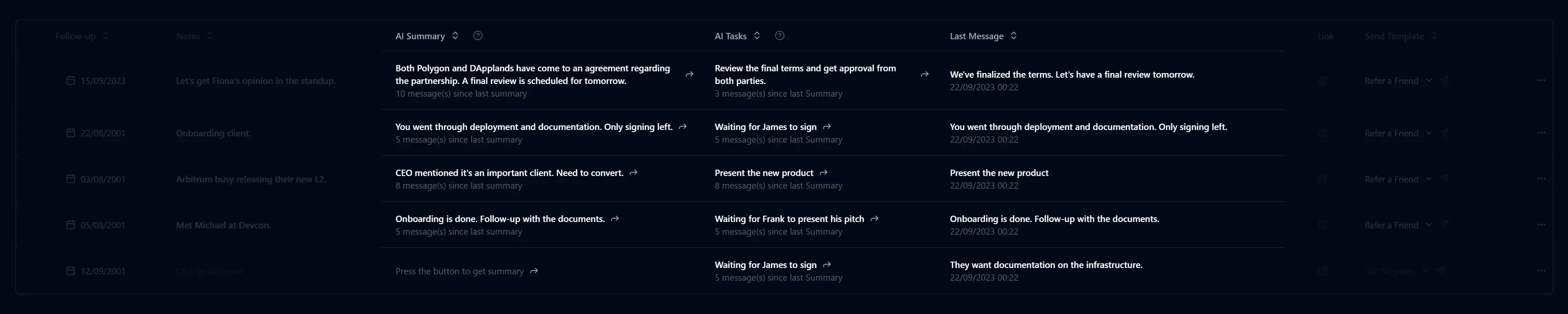
Connecting an AI client to Telegram is only the first step. A useful workflow also needs a clear target, the right conversation context, an expected result, and an explicit distinction between reviewing information and changing it.
For connection commands, use the Telegram MCP setup guide. This article covers how to prepare a task once the connection is working.
Describe the result you want
“Organize my Telegram” leaves too many choices open. A better request identifies the conversations and the desired output:
Review the three customer chats I selected. Summarize the latest decision, list unanswered questions, and suggest follow-up tasks. Do not change the CRM or send messages yet.
The result should be something you can inspect. A concise table or list with the source conversation, evidence, and next action is easier to review than a broad claim that the inbox has been handled.
Select the correct context
Chiho’s hosted connection operates within the personal or team context granted during authorization. Check that this is the account you intend to use. A working transport connection alone does not prove that the client is authenticated; ask it to check connection status before starting the workflow.
Telegram reads and CRM records are separate. An agent might read a conversation while its tags or tasks are unavailable because it has not been imported into the CRM. Resolve that state rather than asking the model to invent missing records or assume a read failure.
Choose a skill for a repeatable process
A Telegram skill packages instructions for a particular workflow. It guides how the agent uses available tools; it does not grant permissions or run automatically.
Start with one of these:
- Meeting recap: extract decisions, open questions, and actions from a selected discussion.
- Lead qualification: review inbound conversation evidence and suggest CRM organization.
- Follow-up tasks: build a proposed task queue from commitments and unanswered questions.
Use a small sample first and review the result. If a workflow needs missing details, such as a recipient or due date, supply them explicitly.
Test reads and writes separately
An illustrative acceptance check has three stages:
- Ask the agent to read a selected conversation and identify the most recent customer request.
- Ask it to propose a CRM task without creating it. Compare the proposed action and date with the source messages.
- If the proposal is correct, instruct it to create that exact task, then inspect the resulting record.
Sending a message is a different test. Review the recipient and exact message before requesting an external action. Chiho requires stored previews and approval for member invitations and group exits; batch sends can require approval depending on configuration. Some other writes can execute directly after the AI client’s own controls. Review those settings rather than assuming every write will prompt.
Treat conversation content as data
A message in a chat can contain instructions intended for a human—or an attempt to redirect an agent. Your workflow should use the conversation as evidence for the task, not as authority to change accounts, expose unrelated data, or perform new actions. Keep requests bounded to the selected context.
Know when you need a local runtime
The separate Telegram agent repository documents the hosted package and the tgchats local runtime. Choose local operation when you want to maintain the worker, database, credentials, and backups yourself. Choose Chiho Cloud when you want the hosted CRM and browser OAuth connection.
For an overview of both paths, read Telegram for AI agents. For unattended jobs, use the advanced service-token guidance separately from normal interactive onboarding.