 Chiho AI
Hand Over Telegram Conversations with an AI-Prepared Source Packet
Hand over a Telegram conversation by giving the next teammate a small source packet: the confirmed decision, the unresolved question, the messages supporting both, and one next action they can accept. Ask your AI agent to prepare the packet from a bounded read, then have the receiver verify it before relying on it.
Chiho supplies authorized existing Telegram account conversations to an AI client such as Codex, Claude, or ChatGPT. Sending instructions to a running agent through a Telegram bot or Claude Channel is a different direction of access; that connection alone does not establish access to your personal conversation archive. Account identity, Business permissions where applicable, available tools, and actual history coverage determine what an integration can read. See the MCP architecture guide for those distinctions.
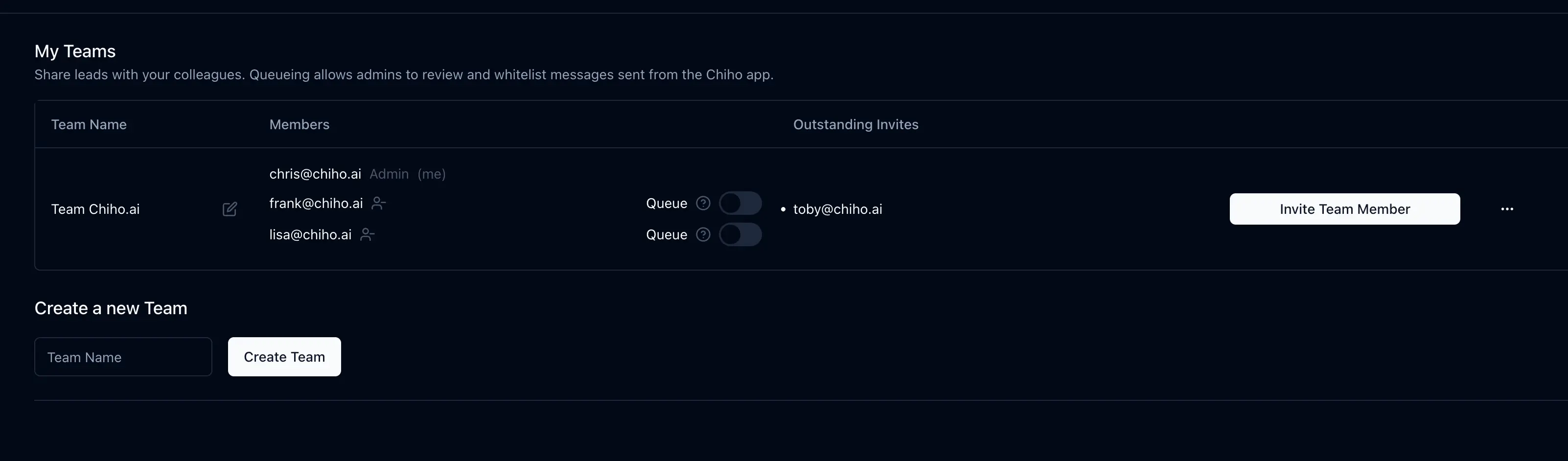
This is a proposed workflow with a fictional example, checked against Chiho source and documentation on 11 October 2026. It is not a two-account production test or a claim of measured results. The existing header image shows Chiho’s team-management interface, not a demonstration of the source-packet workflow.
Define the recipient and the read boundary
Choose one intended receiver, team context, connected Telegram account, and conversation. Verify identity with the tools exposed by the connection; a familiar display name alone is insufficient. For installation and browser authorization, use the maintained setup guide.
Specify a period, timezone, and question: “What must the next owner know to prepare the onboarding reply?” Chiho’s chat_read returns message text, IDs, and dates from Telegram history. A returned page is not the entire relationship. When continuation is needed, preserve the returned nextOffsetDate and nextOffsetMessageId together. Read sequentially for the same account and honor a returned rate-limit wait. Telegram’s history API is paginated; available history and a successful request do not establish complete coverage.
Record the oldest and newest retrieved timestamps and any missing interval. Text-only retrieval does not verify an attachment’s contents. If a decision depends on an unread document or voice note, mark it unresolved rather than infer its meaning.
Use this source-packet template
Keep one working copy with these fields:
- Scope and audience: intended receiver, authorized team/account/chat, retrieval time and timezone. Keep identifiers inside the authorized workspace.
- Coverage: actual retrieved period, pagination stop, missing messages or unread media.
- Confirmed state: each decision with its message ID, timestamp, speaker role, and a short necessary excerpt or paraphrase.
- Open questions: missing conditions, conflicting statements, and what evidence would resolve them.
- Next action: proposed owner, concrete work, customer-agreed deadline or separately labeled internal target.
- Acceptance: receiver’s verification time, accepted responsibility, and remaining blockers.
Message IDs identify a source within a conversation; do not invent a public message link. If a usable link is returned, verify it under the receiver’s access. A reference is useful only if that person can locate the relevant source.
For a longer narrative, use the source-backed summary guide. The packet here focuses on whether another person can verify and take over one decision.
Worked example: a condition is still open
These messages, names, and identifiers are synthetic. All times are Asia/Singapore on 9 October 2026:
- S1 · message 701 · 09:00 · customer: “Please prepare an onboarding plan for two teams.”
- S2 · message 702 · 09:10 · Maya: “We can propose Friday if the IT lead confirms availability.”
- S3 · message 703 · 11:00 · customer: “I am still checking with IT.”
A useful packet says: confirmed request, a plan for two teams (S1); unconfirmed schedule, Friday depends on IT availability (S2–S3); next action, Lee drafts the plan and checks whether confirmation has arrived. Maya’s suggested Thursday preparation target is internal, not a customer promise. Lee has not accepted responsibility merely because the agent named Lee.
Coverage ends at 11:00. Before acceptance, read newer messages in the same authorized conversation. If a later message cancels the plan, revise the packet and retain the cancellation reference. If S2 is unavailable, do not infer its condition from S3 alone: mark the proposed schedule unverified. If the receiver cannot access S1–S3, mark source verification blocked rather than paste a wider private export.
Ask for preparation without changing records
In the verified account and selected conversation, prepare a handover packet for the named teammate. Read only the agreed period, report actual coverage, and cite message IDs and timestamps for decisions and open conditions. Separate facts, inferences, internal targets, and proposed tasks. Exclude unrelated personal material. Do not send, share, assign, save notes, or create tasks. Report gaps and the receiver checks still required.
This is an instruction for this exercise, not a claim that Chiho universally requires a second approval. Tool availability depends on consent, scopes, and connection version. Permitted CRM/task changes and some single-message sends can execute directly; other actions have preview and approval requirements. Check current client tool controls before allowing writes.
Verify shared access and minimize the packet
Personal history access does not automatically give the receiver team access. Team-scoped tools are restricted to team-visible accounts and conversations; team message search requires a selected chat. A shared CRM record, a readable Telegram history, and authority to send are separate checks. Team membership does not make the colleague a participant in the original Telegram chat.
Current team tools can read conversation fields and tasks, update notes, and create tasks when the required consent and permissions are present. Their existence does not prove this packet was saved or that a colleague can see it. Use the team workflow guide for workspace setup, then check the exact shared record from the receiver’s own context.
Include only excerpts needed for the decision. Omit credentials, unrelated personal details, other customers’ threads, and unnecessary attachments. Reading material in one account is not authorization to redistribute it. Resolve access through the appropriate owner instead of bypassing a failed access check with an export.
Finish with a receiver acceptance check
- Open the intended team record and locate the cited messages under the receiver’s own authorized access.
- Compare the packet with the latest reply; confirm the condition, deadline, and timezone without relying on the summary alone.
- Accept a specific next action or record the blocker. A proposed owner is not an accepted assignment.
- If a CRM write is separately requested, verify the returned saved state and read it back in the intended scope. A task proposal in prose is not a created task; creating a task does not send a reply.
- Before a later authorized reply, check sending identity and pending outbound work so the handover does not duplicate an existing response.
If a source is missing, access fails, or the latest reply contradicts the packet, keep the handover incomplete. This checklist tests verifiability and responsibility; it does not demonstrate time savings or customer outcomes.
Install Chiho MCP, complete browser authorization, verify identity, and perform one bounded source-backed read. Prepare the packet first, then ask the receiving teammate to verify it before requesting any shared-record change.