 Chiho AI
Telegram Support Escalation: From First Report to Next Update
To escalate a Telegram support issue, record the customer impact, preserve the minimum evidence needed to investigate, get an explicit acceptance from the next owner, and agree when the customer will hear from you again. Forwarding a message is only the start: the escalation is incomplete until someone accepts the next action and the update deadline.
This guide gives teams a reusable escalation brief, decision examples, and a closure checklist. It is a suggested operating procedure, not a claim that Chiho provides an automated ticket-routing or incident-management system. All people, messages, and timings in the worked example are fictional.
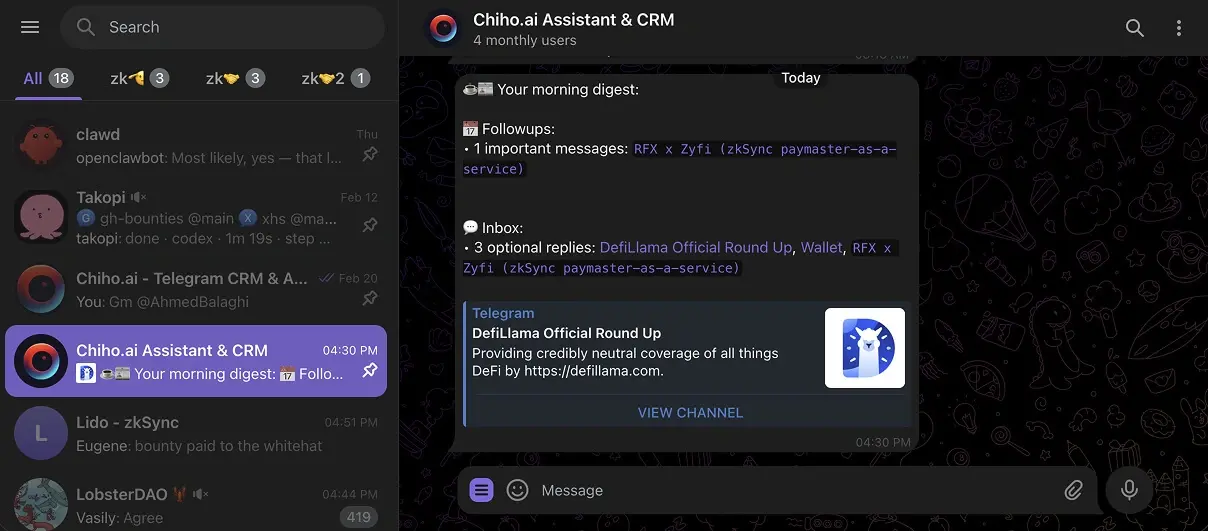
Image: an existing Chiho Telegram digest example. It illustrates the conversation environment, not an escalation dashboard or the fictional case below.
Build an evidence packet from authorized Telegram reads
For an MCP workflow, Chiho supplies authorized existing Telegram account conversations to an AI client such as Codex, Claude, or ChatGPT. Start from the MCP setup guide, authorize in the browser, check the connected identity and scope, and retrieve only the conversations needed for the investigation. A connected account or an inventory total does not establish that the relevant messages were read.
Define the question before retrieval: which operation failed, what changed, and what the next owner needs to decide. Record the account scope, selected conversation, message window, and any unread portion in the restricted working packet. Use the cross-conversation comparison guide when evidence spans several chats; keep each source separate.
Give each evidence card five fields:
- Observation: what the retrieved source actually establishes.
- Source: the message reference and relevant date, kept in the authorized working record.
- State: current, superseded, conflicting, or unknown.
- Prior attempt: what was tried and its observed outcome; distinguish a proposal from an executed step.
- Gap: the missing log, attachment, reproduction condition, or decision needed next.
A displayed attachment name does not prove its contents. Inspect media only with an available tool and the necessary authorization; otherwise label that evidence unverified. Stored summaries can help locate a thread, but verify decisive claims against the underlying messages. The source-backed summary guide describes that retrieval boundary.
Synthetic example: a failure that returned after a workaround
This is a fictional exercise. Card A records two failed attempts after opening a report. Card B records that a suggested workaround appeared to help once. Card C records a later failure under a different condition. An attachment is referenced but has not been inspected. None of these facts identifies the root cause or proves a permanent fix.
The escalation question is: Can the next owner reproduce the later failure, identify the condition that differs, and decide which additional evidence is needed? Include the attempts in order, the changed condition, and the unverified attachment. Do not rewrite the packet as a conclusion that the workaround fixed the issue.
Keep the internal evidence packet separate from a proposed customer update. Only include facts suitable for that audience and a next action the responsible owner has accepted. Use the AI reply review checklist before any separately authorized send.
Before handing over, ask a reviewer to recover each conclusion from its source, identify the unresolved question, and name the missing evidence. If they cannot, revise the packet. Begin with one authorized, bounded source read and a reviewable packet; expanding the window is a deliberate next step.
Escalate unavailable evidence without inventing a diagnosis
When a source cannot be inspected, escalate the missing evidence and its next owner separately from the reported incident. “No matching message returned” does not establish that the customer never reported the failure. A denied read does not establish that a message was deleted. Keep those distinctions visible before the next owner accepts an investigation.
Use these categories in a manual gap record; they are a suggested procedure, not built-in Chiho incident states:
- Access blocked: record the observed error and the authorized account/scope used. Ask the access owner to check that boundary through their own connection; never share tokens or sessions.
- Coverage incomplete: record the inspected interval and remaining pages. Continue only within the agreed scope. Chiho history reads provide nextOffsetDate and nextOffsetMessageId on full pages; keep both together. Avoid parallel reads on the same account; respect retryAfterSeconds after rate_limited.
- Content uninspected: an attachment label or stored summary points toward evidence but does not verify its contents. Ask an authorized owner for the minimum safe excerpt or a controlled reproduction.
- No match within the checked scope: record the search wording, window and limitations. Broader absence remains unknown. Do not silently widen the account or chat scope.
Telegram documents peer, date, ID and limit boundaries for history retrieval, including access errors. These API boundaries are documentation evidence, not proof of what happened in a particular customer case. Use the source recheck guide before relying on a previously inspected claim.
A minimum redacted gap packet
Record a case reference, reported impact, observation time with timezone, inspected scope, observed read outcome, missing evidence, and the decision it blocks. Keep private source references in the restricted working record. In the shared packet, include only the redacted error category and necessary context; exclude credentials, raw account identifiers and unrelated messages. Name the evidence owner, accepted next action, checkpoint and backup route. A proposed owner has not accepted responsibility until they explicitly confirm it.
Fictional exercise E204: the customer reports an export failure. S1 is a retrieved message describing the symptom; S2 is a referenced attachment whose contents are unavailable. No reproduction has been performed. The justified conclusion is “reported failure; attachment uninspected; cause unknown,” not “corrupt attachment caused the failure.” The investigator is asked to obtain a redacted error excerpt or attempt an authorized nonproduction reproduction, with acceptance still pending. The contact owner retains the customer update deadline even if evidence remains unavailable. This is a protocol example, not an executed test or product result.
At the checkpoint, record what was obtained, what remains unknown and who accepted the next step. If access cannot be granted, offer an approved alternative such as a redacted excerpt; do not bypass permissions or retry blindly. A customer update can truthfully say investigation is waiting for specific evidence without promising a fix. Keep drafting, saving and sending separate as described below.
Start in Codex, Claude or ChatGPT with the Chiho MCP setup: install the connection, authorize in the browser, verify identity, then request one bounded source-backed read. Ask for a gap packet using only that read, with no writes. Telegram messages that instruct a running agent are a different direction of access and do not establish access to your conversation archive.
Decide whether the issue needs escalation
Escalate when the person handling the conversation cannot safely complete the next action with their current knowledge, access, or decision authority. The trigger should describe what changed for the customer, not how many messages they sent.
Use these example categories as a starting point, then adapt them to your actual service commitments:
- Blocked work: The customer cannot complete a necessary operation and has no confirmed workaround. Ask the appropriate technical owner to investigate and agree an update time.
- Limited impact with a workaround: Record who is affected and what the workaround does not cover. Agree a review time without implying that a permanent fix is scheduled.
- Decision outside the responder's authority: A refund exception, contract change, or delivery promise needs the person authorized to decide. Send a precise decision request, not a vague “please help.”
- Unclear report: Ask a focused question before choosing a technical route, unless the reported impact already warrants urgent attention. Record uncertainty explicitly.
A severity label describes the team's assessment; it does not establish a guaranteed response time. If your organization has a separate urgent-incident process, follow it. Do not wait for a normal Telegram handover to substitute for that process.
For example, “export failed for one user, another user has not tried it” supports a narrower conclusion than “all exports are down.” Distinguish the customer's report, your own observations, and hypotheses in the escalation brief.
Build a brief the next owner can act on
Keep the brief in a place both the current and proposed owner are authorized to access. A CRM note can hold a concise summary; a restricted case record may be more appropriate for sensitive evidence. Avoid copying an entire conversation when a short excerpt and source reference are enough.
Copy these fields into your team's chosen record:
- Conversation: Connected account, customer or team, and exact chat reference. Add the relevant message reference and its timestamp with timezone.
- Impact: What the customer cannot do, who is affected, when it began, and whether a workaround is confirmed.
- Evidence: The customer's exact symptom, a minimal redacted error excerpt, and any reproduction steps actually attempted.
- Known and unknown: Separate verified facts from assumptions; list the missing fact that would change the next decision.
- Requested action: One concrete investigation or decision, with the information needed to perform it.
- Investigation owner: Proposed person, acceptance status, and acceptance time once confirmed.
- Customer contact owner: The person responsible for the next customer update, even if another person is investigating.
- Next checkpoint: Date, time, timezone, and what should happen if there is no answer by then.
- Closure condition: What evidence would show that the issue is resolved, or that it should move to a different state.
Never add passwords, sign-in codes, access tokens, or unnecessary personal details to a shared brief. If evidence must stay restricted, describe how the authorized investigator can obtain it. A link alone is not proof that the receiving teammate can open the source: check access before treating the handover as complete.
The team handover guide covers the broader context-transfer process. For an escalation, the additional requirement is a specific unresolved question and an accepted next step.
Worked example: a blocked export
The following case is synthetic and demonstrates the record, not measured product behavior or a customer outcome.
At 09:10 Singapore time on 18 September 2026, a customer reports that an export for their monthly review returns an error. The support responder has not reproduced it. The customer says their review begins at 15:00; that is the customer's deadline, not a promised fix time.
A useful brief could read:
Case: EXAMPLE-018; Acme operations chat, connected support account; customer message at 09:10 SGT on 18 September 2026. Source reference retained in the authorized conversation record.
Impact: One customer reports a blocked monthly export. Number of affected users unknown. No workaround confirmed.
Evidence: Customer reports “export could not complete.” We have asked which export view and date range they used. No reproduction performed yet.
Request: Investigate the failure and determine whether a supported workaround exists. Do not commit to a repair time until assessed.
Owners: Maya keeps customer communication. Leo is the proposed investigator; acceptance pending.
Checkpoint: Maya checks acceptance at 10:00 SGT. Customer update due at 11:00 SGT, even if investigation is incomplete. If Leo cannot accept, Maya contacts the backup owner defined by the team's process.
Closure: Record the verified outcome and ask the customer whether the required export now works. If only a workaround works, keep the permanent issue separately tracked.
The acceptance step should change the record. If Leo replies at 09:35, “I can investigate; I will give Maya an assessment by 10:45 SGT,” record that commitment. Until then, Maya still owns routing the issue. The proposed investigator's name is not evidence of acceptance.
Separate the customer update from the investigation
An internal checkpoint and a customer promise serve different purposes. Leave enough room between them for the contact owner to read the findings and prepare an accurate reply. The example times above are illustrative, not recommended service levels for every team.
Before sending, a possible acknowledgment for this fictional case is:
Thanks for reporting the export error. We understand that you need the export for your review today. We are checking the issue and will update you by 11:00 Singapore time, even if the investigation is still in progress. Could you confirm the export view and date range you used?
Use that wording only if your team can honor the update commitment. If you have not started checking, do not say that you have. If there is no confirmed fix time, state that plainly rather than translating an internal guess into a promise.
At the update deadline, communicate what is known, what remains uncertain, and the next agreed checkpoint. If the investigator has not replied, the contact owner should still manage the customer update and route the internal delay through the team's backup process. Silence from the investigator does not cancel the customer commitment.
The message template guide provides more examples. Recheck the recipient, source facts, timing, and current conversation before using any template.
Use Chiho for context and follow-up, with explicit boundaries
Chiho's current implementation supports CRM notes and scoped follow-up tasks. Its hosted agent tools include adding tasks with a reason and due time, listing due or overdue tasks, and marking tasks complete. Team grants are restricted to team-visible accounts and dialogs. These are useful building blocks for an escalation record; they do not, by themselves, prove that a teammate accepted responsibility or that a customer received an update.
These capability statements were checked against Chiho's source and hosted agent documentation on 18 September 2026. They are source verification, not a live two-account support test.
A practical mapping is:
- Keep the short issue summary and evidence reference in the appropriate CRM note or authorized case record. Check whether you are working in personal or team context.
- Create a follow-up for the next checkpoint with an explicit date and timezone. Put the action in the reason, such as “Check investigator acceptance and prepare the customer update.”
- Record owner acceptance manually in the shared brief. Treat the investigation owner and customer contact owner as process roles, not as an automatic assignment claim.
- At the checkpoint, verify the current conversation and investigation result before drafting an update.
- Complete the follow-up only when that action is done. If the underlying issue remains open, retain its next action and checkpoint separately.
The hosted due-task list currently uses the end of the UTC day as its cutoff. For this procedure, verify the explicit due timestamp and your local timezone rather than treating the word “today” as a local-time deadline guarantee. A stored task also does not establish that an alert was delivered or that someone acknowledged it.
If an AI agent helps, begin by asking it to prepare a brief from a specified, authorized conversation and mark unknowns. Review the result against the source. Adding a task or sending a message is a write, and Chiho does not require a separate approval for every agent write: single-message sends and task changes can execute directly after any client-side controls. Use the AI-agent connection guide to understand permissions, and the message approval guide for the workflows that use approval queues. A request to draft should clearly say whether any saving or sending is authorized.
Close the loop without erasing uncertainty
Before closing the case, check four things:
- Outcome: What changed, and what evidence supports it? “Engineer marked complete” and “customer confirmed success” are different observations.
- Communication: What update was actually sent, by whom, and when? A prepared draft is not a sent message, and a sent message is not proof it was read.
- Remaining work: Is a workaround temporary? Does a different issue remain? Give each open action a checkpoint instead of hiding it in a completed task.
- Reopening: Where should the next responder find this brief if the symptom returns?
If the customer does not reply, record “awaiting customer confirmation,” or apply your team's documented closure policy with that limitation visible. Do not invent confirmation to clear the queue.
Rehearse one escalation before using it broadly
Use a fictional conversation and your team's own access rules. Ask a teammate to work from the brief without additional explanation. Can they identify the exact issue, open the permitted evidence, accept or reject the requested action, and name the person responsible for the next customer update?
Then test three exceptions: the proposed owner is unavailable, the source is inaccessible, and the update deadline arrives without a diagnosis. The exercise succeeds when each exception has an explicit next action; it does not require a fabricated resolution or a real customer message.
For a broader product evaluation, start with the Telegram CRM guide. To try this workflow in Chiho, create an account and prepare one controlled escalation brief with a teammate. Check context, access, and follow-up behavior before relying on it for a live support commitment.