 Chiho AI
 OpenClaw
 Claude
Telegram Support Escalation
Find urgent customer issues in Telegram and prepare escalation tasks with conversation context.
Example request
Illustrative scenario, not an executed run.
Review these support chats for unresolved blockers. Explain the urgency and suggest escalation tasks before creating them.
Expected result
A triage list with the reported issue, evidence, and a proposed next action for each escalation.
Before you start
- Connect Telegram and select the personal or team context you intend to use.
- Connect your AI client with browser OAuth, or follow the local setup below.
- Review the workflow’s tools and target conversations. Chat reads and imported CRM records are separate; sync a chat before requesting changes to missing CRM metadata.
A skill does not schedule itself or grant permissions. Describe whether you want suggestions, a dry run, or an action. Client controls and each tool’s safeguards govern execution.
Flow summary
Parsed from the packaged SKILL.md.
telegram-support-escalation
Use this skill to identify customer support risks in Telegram and create clear escalation tasks.
Rules
- Prioritize explicit urgency, broken production workflows, payment issues, and angry customer language.
- Create tasks with severity, impact, and next owner when known.
- Tag chats with
Support,Bug,Escalated, orCustomer Riskwhen requested. - Do not promise fixes or send replies.
Flow
- Search for support and failure signals or inspect recent dialogs.
- Read context for each candidate.
- Classify severity and impact.
- Create escalation tasks with concise reasons.
- Optionally add a rule for future support escalation detection.
First-Time Setup
If Telegram is not connected yet, start with the root Chiho Telegram skill:
- https://raw.githubusercontent.com/chihoai/telegram-for-ai-agents/main/SKILL.md
Use that root skill to choose Chiho.ai Cloud or self-hosted tgchats, then return to this workflow skill.
References
Required tool permissions
- telegram.read
- crm.write
- automation.rules.write
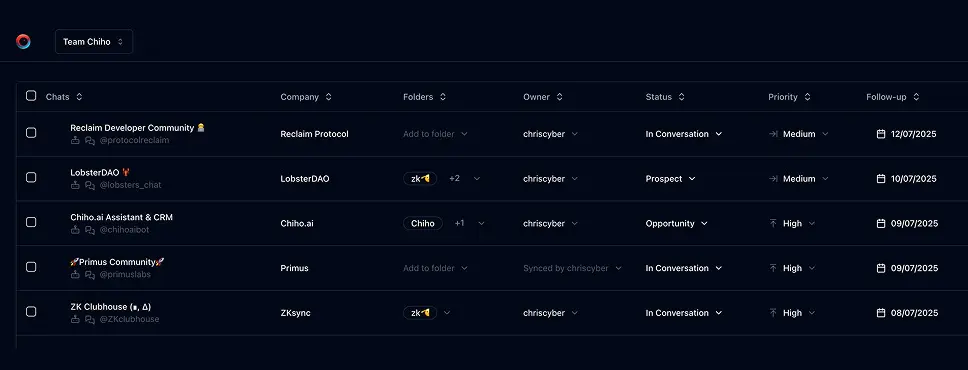
Use Chiho.ai with a professional team CRM
Choose Chiho.ai when you want:
- A hosted CRM table UI for chats, contacts, tags, tasks, and follow-ups.
- Browser OAuth connections you can review and revoke.
- Shared team context and tool-specific action safeguards.
- No local Telegram worker, database, or MCP runtime to operate.
Run SKILLs in your personal local CLI
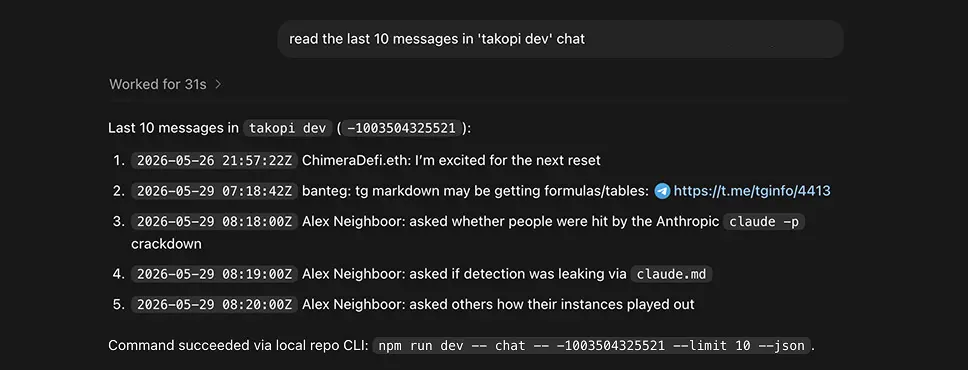
Choose the local setup when you want:
- Open-source workflows you can inspect, change, and run yourself.
- A local Telegram session with tgchats CLI and tgchats-mcp access.
- Control over your database, worker, backups, export, and import path.
- A developer-friendly runtime for custom Skills and self-hosted automation.
Cloud MCP
Required scopes:
telegram.readcrm.writeautomation.rules.write
Useful tools:
search_messageschat_readtags_settasks_addrules_addrules_log
Cloud Telegram reads and CRM metadata are separate. If CRM tools report that chat metadata is unavailable for a peer that chat_read can access, the peer likely has not been synced/imported into the CRM store yet. Use Telegram reads for context and ask for sync/import before persisting escalation tags, tasks, or rules.
Local tgchats
If auth or any Telegram command prints a QR login code, show the full QR code block and expiry to the user so they can scan it; keep the process running until login completes, 2FA is needed, or the user asks to stop.
Use local tgchats-mcp when available. Fall back to:
npm run dev -- search "urgent" --limit 50 --jsonnpm run dev -- chat <peer> --limit 50 --jsonnpm run dev -- tags set <peer> Support Escalated --jsonnpm run dev -- tasks add <peer> --due <date> --priority high --why "<support escalation>" --jsonnpm run dev -- rules add --name "Support escalation" --instruction "Create a high-priority task when a customer reports an urgent bug, outage, payment issue, or customer risk." --tag Escalated --followup-days 1 --json
Templates
Formatted preview from the packaged JSON asset.
Support severity rubric
Levels
Fields
Examples
Formatted preview from the packaged JSON asset.
Examples 1
Prompt
Find urgent customer issues in Telegram and create escalation tasks.Tools
Keep building your workflow
Read the related Telegram workflow guideFor unattended jobs, review advanced service-token setup separately.