 Chiho AI
Connect Claude to Telegram: Directory, Claude Code, and Your First Workflow
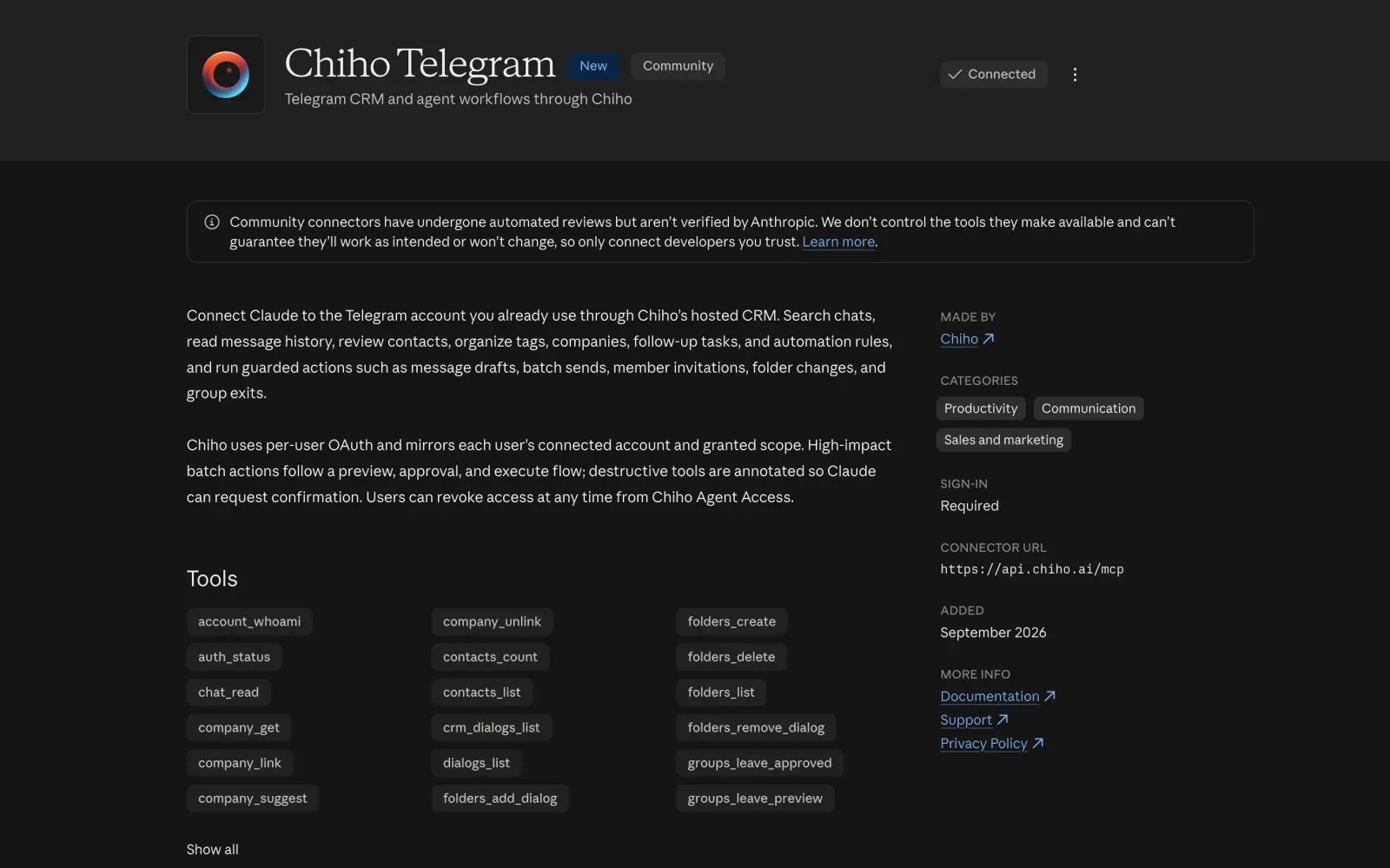
Connect Claude to your existing Telegram conversations through Chiho Telegram in the Claude directory. Ask Claude to find a past message, summarize a decision, or prepare a follow-up using authorized account and CRM context. This is account access from Claude; messaging a Telegram bot to control a Claude Code session is a different workflow.
The listing gives people searching for a Claude Telegram plugin, Telegram MCP for Claude, or Claude Telegram connector a direct installation path. Chiho remains the hosted Telegram CRM behind the connection, while Claude becomes the place where you ask questions and run bounded workflows.
Chiho Telegram is listed as a Community connector. Anthropic says community connectors receive automated reviews but are not verified by Anthropic, so review the provider, permissions, privacy policy, and requested actions before connecting. Chiho is the provider and maintains the connector.
Choose the Claude surface before configuring the connection
For Claude's connector interface, start from the directory and complete Chiho's browser consent. Enable the connection in the conversation where you want to use it. Directory installation and account authorization are separate steps.
For Claude Code's terminal interface, add Chiho as a remote HTTP MCP server, then use the client's authentication controls to finish browser sign-in:
claude mcp add --scope user --transport http chiho https://api.chiho.ai/mcp
See Claude Code's MCP setup documentation for current client controls. A directory connection does not prove that your terminal session has the server configured or authenticated. Leave optional custom-connector client credentials blank when following Chiho's public-client setup.
Ask for evidence before expanding the workflow
After checking account identity, choose a known chat and a bounded date range. Ask:
Read this authorized conversation for the period I specify. Find the latest agreed next step, distinguish a suggestion from an accepted commitment, and include the message reference and any coverage gaps. Do not create tasks or send messages.
Check the answer against the actual conversation. If the account check succeeds but the chat is missing, review personal versus team scope and inventory coverage. If the chat is present but the answer lacks evidence, narrow the request and ask for a source-bearing read rather than assuming a fluent summary proves retrieval.
With the read confirmed, move to a bounded inbox briefing or follow-up task. Ask explicitly for any write you want; reading a conversation does not imply permission to contact its participants.
Connect Claude to Telegram with Chiho
- Open Chiho Telegram in the Claude directory.
- Select Connect and sign in to Chiho.
- Review the Chiho account or team context and the complete permission set before granting access.
- Enable Chiho for the Claude conversation where you want to use it.
- Ask Claude to check auth_status and account_whoami before reading any chats.
- Start with one known conversation and a read-only task you can compare with the source.
Anthropic's connector guide explains how to manage connectors and enable them per conversation. The directory removes the need to paste Chiho's MCP URL manually for this setup. The direct remote MCP endpoint remains available for compatible clients and advanced configurations.
Try this first prompt:
Check my Chiho connection and confirm the account and personal or team context. Find the Telegram conversation I specify, asking me to resolve any ambiguous match. Read its recent messages and list the latest decision, unanswered questions, and explicit commitments with message references. State the time range and any pagination limits. Do not send messages, create tasks, change CRM fields, refresh summaries, start syncs, or prepare write previews.
This small acceptance check verifies identity, scope, target selection, source coverage, and grounding before you give an agent a broader job.
What the Claude Telegram plugin can do
The directory listing exposes Chiho tools for several kinds of work:
- Telegram search and reading: list dialogs, search messages, and read selected chat history.
- Customer context: inspect contacts, companies, tags, summaries, and imported CRM conversations.
- Follow-up work: review or create tasks, generate nudges, and inspect automation rules.
- Organization: work with folders and approved CRM changes.
- Guarded actions: prepare or execute supported message, invitation, batch, and group-management workflows within the granted scope.
Tool availability depends on the account or team context you authorize. A readable Telegram conversation may not yet have an imported CRM record, so chat access and saved CRM context should be checked separately.
For a repeatable workflow, combine the connector with a Telegram skill. A connector supplies access to tools and data; a skill supplies instructions for a task such as meeting recaps, lead qualification, or follow-up review. Installing a skill does not grant Telegram access by itself.
Chiho Telegram versus Anthropic's Telegram channel plugin
These products answer different search intents.
Anthropic's open-source Telegram plugin for Claude Code connects a Telegram bot to a Claude Code session. You create a bot with BotFather, then use Telegram as a channel for interacting with that session.
Chiho Telegram connects Claude to the Telegram account and CRM workspace you already use. It is designed for work inside existing authorized conversations: searching history, reviewing relationship context, organizing follow-ups, and running controlled Telegram or CRM actions. You do not create a new customer-facing bot for this connection.
Choose the bot channel when your goal is to talk to a Claude Code session from Telegram. Choose Chiho when your goal is for Claude to help with existing Telegram conversations and professional relationship workflows.
Practical workflows to try
Find a commitment in a long customer chat
Ask Claude to search a selected conversation for a proposal, delivery date, or promised introduction. Require message references and surrounding context so a request is not mistaken for an accepted commitment. The customer commitment guide provides a more detailed review pattern.
Prepare a handover without making the customer repeat everything
Have Claude identify the latest confirmed decision, open question, and next action for a selected conversation. Review the source messages, then decide whether to save a task or company note. See the Telegram handover guide for a team checklist.
Review an inbox by importance instead of recency
Choose a bounded set of conversations and ask Claude to identify blocked customers and overdue commitments. Require an explanation for each priority and keep suggestions separate from CRM changes. The Telegram inbox prioritization guide shows how to make that review auditable.
Draft a reply without sending it
Ask Claude to return proposed reply text in the conversation, with a separate evidence map and unresolved questions. Do not call a sending tool merely to compose text. Review names, dates, promises, privacy, and the exact recipient using the AI reply review checklist.
Review permissions and actions before expanding access
Chiho uses per-user OAuth and applies the connected account, team, and capability boundaries to tool calls. Information returned by a tool becomes available to the connected Claude conversation, so use only conversations you are authorized to share with that AI service.
Reading, changing CRM data, and sending a Telegram message are different operations. Some writes can execute after Claude's tool controls and Chiho's authorization checks. High-impact batch actions, member invitations, and group exits use stored preview and approval flows. Review the exact target, content, and effect instead of assuming every write will produce the same confirmation screen.
You can inspect and revoke Chiho access from Connected AI clients. Disconnecting the connector in Claude and revoking it in Chiho are separate controls; revocation cannot remove information already returned to an AI conversation. Read the Chiho privacy policy and hosted MCP guide before using private or regulated conversation data.
Frequently asked questions
Is Chiho Telegram an official Anthropic connector?
No. The Claude directory labels Chiho Telegram as a Community connector. Anthropic states that community connectors receive automated reviews but are not verified by Anthropic. Chiho builds, hosts, and supports the connector.
Does the Chiho Claude plugin use a Telegram bot?
No. Chiho connects the Telegram account you already use and exposes authorized conversations and CRM workflows through its hosted MCP service. Anthropic's separate Telegram channel plugin for Claude Code uses a bot token.
Can Claude send Telegram messages through Chiho?
Chiho includes message and other write-capable tools within the permissions and safeguards of the connection. Start with read-only work, inspect Claude's enabled tool controls, and review the recipient and exact content before authorizing any external action.
What is MCP?
The Model Context Protocol is an open standard for connecting AI applications to tools and data. Anthropic's remote connector documentation describes how Claude uses MCP tools supplied by a connected service. Chiho's hosted MCP service is the bridge between Claude and the Telegram and CRM capabilities you authorize.
Start with one conversation
Open Chiho Telegram in the Claude directory, connect the intended account or team context, and run the read-only acceptance prompt above. Once you have verified the identity, source messages, and tool history, choose one bounded workflow from the Telegram skills catalog.