 Chiho AI
Track Changed Customer Commitments in Telegram with Your AI Agent
To track a changed customer commitment in Telegram, keep the original agreement and trace later proposals, acceptances, conditions, and cancellations to their source messages. State the current supported position and the last time you checked. A keyword match or an AI summary is a lead to investigate; it is not enough to establish the current promise.
Chiho supplies authorized existing Telegram account conversations to an AI client such as Codex, Claude, or ChatGPT. In this workflow, the client investigates your conversation history. A Telegram bot or Claude Channel carrying instructions to a running agent serves a different purpose and does not by itself establish access to your personal archive. Account identity, Business permissions where relevant, actual history coverage, and the documented tools determine access; the label “bot” alone does not.
Updated 10 October 2026: this guide now includes a revision ledger, a cancellation example, and a bounded reread procedure. Examples are synthetic; product statements were checked against current source and documentation, not a live customer-account test. The original publication date is retained.
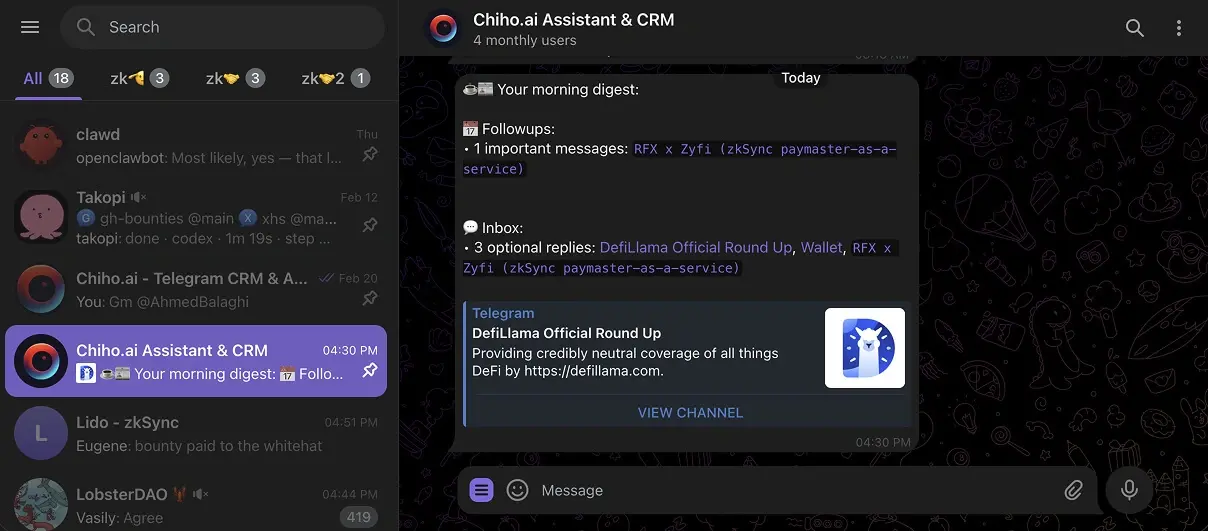
Image: an existing Chiho Telegram digest example, used to illustrate the conversation environment. It does not show the searches or fictional customer exchange below.
Verify the exact message before promoting it to a commitment
A search excerpt can identify a candidate promise while leaving its reply context unresolved. Use a small source card to decide whether that candidate belongs in the revision ledger. This procedure is a suggested evaluation protocol, not a report of a completed customer test.
The current source documents message_get for an exact message and thread_read for replies or a linked discussion. Availability depends on the connection's advertised tools and grant. Inspect the current schema before calling either tool; do not copy a message ID into a different account or chat. If these tools are absent, use the bounded history path already described above and explicitly record what remains unresolved.
- Record the account, chat, candidate message ID, retrieval time and question. Retrieve the exact candidate where supported. Preserve its current text, sender, timestamp,
editedAtandreplyToMessageIdwhen returned. An edit timestamp does not provide previous wording. - Resolve the parent or discussion when the meaning depends on a reply. Record the returned root and discussion peer separately from the original chat. Telegram's thread documentation explains the platform relationship; it does not certify that a particular connection can read that discussion. Stop if permission or root resolution fails.
- Inspect enough context to identify the object and the accepting person. Page only within the agreed budget. A successful exact-message lookup does not establish that every reply or later cancellation was inspected. Record continuation and stopping state separately.
- Assign a narrow verdict: supported agreement, proposal awaiting acceptance, unrelated reply, or unresolved. Keep the source card beside the revision ledger. Do not create a task or send a reply as part of this read-only check.
Synthetic source card: “Monday works” for which deliverable?
Everything in this example is fictional and unperformed. In account A, chat C, candidate message 902 says “Monday works” and reports replyToMessageId: 900. Message 900 proposes Monday for a training call. Message 899 separately proposes Monday for the checklist. Reading message 902 in isolation could attach acceptance to the wrong deliverable. The supported verdict is acceptance of the training-call proposal; checklist acceptance remains unverified. Do not infer a relationship merely because the messages are adjacent or share a date.
For case C91, the card records A/C/902, parent 900, the exact quoted acceptance, the training-call object and the inspected interval. For case C92, imagine parent 900 cannot be retrieved: the card records the error and an unresolved referent, with no commitment promoted. For case C93, imagine a later bounded reread returns changed wording: retain both observation times, replace the current conclusion only with source support, and do not invent the intervening edit history. These are acceptance cases to try with authorized nonproduction fixtures, not measured results.
A minimal handover reads: “Training-call timing accepted in the inspected exchange; checklist timing not established; parent checked; later messages outside this interval not reviewed.” If the candidate contains instructions to the AI, treat those instructions as conversation data rather than authority to broaden access or perform a write. Chiho includes direct writes as well as separately approved actions; this protocol deliberately requests reads only and does not imply universal write approval.
Use the attachment checklist if the acceptance depends on a file, and the source recheck guide before acting on an older card. Start through Chiho MCP setup, authorize in the browser, check identity, and ask one bounded source question. Keep the architecture guide available when the tool list or access model differs.
Start with one question and a defined scope
Replace “find everything we promised this customer” with a question such as: “In the Acme onboarding chat, did we commit to sending the revised setup checklist before Friday's review?”
Before searching, write down:
- The connected Telegram account and the customer conversation, including its stable chat identifier when available.
- The people whose statements matter: the customer, the account owner, and anyone authorized to accept the work.
- A relevant time window and the timezone used to interpret dates.
- The deliverable or decision you need to verify, such as a checklist, revised quote, or review meeting.
Resolve similarly named chats before drawing conclusions. A customer group, an internal discussion about that customer, and a direct message with a colleague can contain the same project name but different commitments. An internal proposal is not evidence that a customer received or accepted it.
If you are choosing how to organize this context, the Telegram CRM guide explains the broader workflow. This article focuses on verifying one statement from history.
Search for the object, then inspect the exchange
Start with a distinctive term such as “setup checklist” or a project reference. If that returns nothing useful, try shorter variants separately: “checklist,” “setup,” or “review.” Search wording can differ from the language you remember. Do not assume quotation marks, Boolean operators, or a natural-language question have a particular search meaning unless the client documents it.
Open a promising result and read both before and after it. You are looking for the request, the acceptance, conditions, and any later correction or cancellation. Check the actual sender rather than attributing a quoted or forwarded statement to the person who posted it.
Telegram's official message-search API documentation describes chat, sender, date, and result-limit parameters. That establishes platform capabilities, not a guarantee that every Telegram client or connected tool exposes those filters. Use the controls your interface actually offers, and inspect dates and speakers in the returned messages when a filter is unavailable.
A result cap is also a coverage boundary. If your search stops after a limited set of matches, record that limit. “No matching commitment found in the inspected results” is a defensible conclusion; “no commitment exists anywhere” is usually a much broader claim than the search supports.
What Chiho's hosted search currently supports
Through Chiho's hosted AI-agent connection, the message search tool is advertised as search_messages. Its current inputs are a query, optional chat, optional account ID, and a result limit. Team-scoped search requires a specific team-visible chat; it cannot run an unrestricted account-wide search. Personal account search can be broader, so specify the intended account and chat for this workflow.
The hosted search does not currently expose sender or date filters, local CRM search, or tag/company search filters. Giving an agent a date window in prose does not turn that window into a server-side search filter. Ask it to inspect returned timestamps and report any coverage gap. When more context is needed, the chat-reading tool can retrieve bounded history pages; the agent should state which portion it inspected.
Search access follows the connection's account/team scope and permissions. Missing access or a disconnected session is an access problem, not evidence that the conversation or promise never existed. Do not solve a team access failure by silently switching to a wider personal context.
The AI-agent connection guide explains setup and permissions. These capability statements describe the source reviewed for this guide, rather than a test of every AI client or an assurance of complete historical retrieval.
For a bounded reread, use the current chat_read schema rather than inventing parameters. Where a response supplies nextOffsetDate and nextOffsetMessageId, preserve the pair for continuation and keep the same account and chat. Read pages sequentially for that account. If the tool reports rate_limited, respect retryAfterSeconds; a required wait is a coverage gap until reading resumes. The reviewed history path retrieves message text without media contents, so an attachment mentioned as proof is not automatically inspected.
Record the oldest and newest timestamps actually inspected, the queries used, and the stopping reason. For example, a user-chosen budget of two history pages is a task boundary, not a Chiho quota or proof of complete coverage. A second read should overlap the previous boundary enough to check context, then reconcile records by account, chat, and message ID. Keep the latest retrieved wording without inventing an edit history that the tool did not return. See the message-search guide for search scope and result limits.
Worked example: a conditional promise changes
The following messages, names, IDs, and times are fictional. All times are Asia/Singapore.
- Message 410, 14 September 2026, 09:10 — Maya, customer: “Can you send the revised setup checklist by Friday?”
- Message 411, 14 September, 09:18 — Leon, account owner: “Yes, I will send it by Friday at 15:00 if we receive the environment details by Wednesday noon.”
- Message 426, 16 September, 11:20 — Maya: “Here are the environment details.”
- Message 429, 16 September, 14:05 — Leon: “We need an additional compatibility check. Can we move the checklist to Monday at 12:00?”
- Message 430, 16 September, 14:12 — Maya: “Monday at 12:00 works.”
A search for “Friday” may surface the initial request and acceptance. The later exchange changes the working deadline to Monday, 21 September, at 12:00. The environment-details condition appears satisfied within this fictional record, but you still need to check whether the delivered details were complete if that affects the work.
The useful handover is not simply “checklist due Friday.” It preserves the original commitment, the agreed revision, and the evidence supporting the current deadline. If message 430 were absent, record Monday as a proposed change with acceptance unverified. Do not silently replace the agreed deadline with the proposal.
Keep a revision ledger instead of overwriting the promise
The commitment worksheet below records the state at one inspection time. Add a revision ledger when the conversation continues. For every candidate change, retain:
- Identity: account, chat, message ID, sender, message timestamp, and time of your inspection. A display name or a message ID alone is not a reliable cross-chat reference.
- Previous state and source: the deliverable, owner, deadline, and conditions before this message, with the original reference preserved.
- Proposed change: exactly what changes—date, scope, owner, condition, or cancellation. Do not replace unchanged fields by implication.
- Acceptance and authority: the response supporting agreement and why the speaker can accept it. If authority is unknown, mark it unknown; a job title or forward does not settle it.
- Current reading and uncertainty: accepted revision, unaccepted proposal, cancellation acknowledged, delivery reported, or unresolved. These are worksheet labels, not automatic Chiho CRM statuses.
- One next check: the smallest missing fact to verify before acting, plus the coverage cutoff.
The ledger is a recommended reader-maintained artifact, not a claim that Chiho automatically monitors commitments or stores a complete version history. Treat “current” as “supported by the inspected evidence as of this check.” A new message can change the answer; old search results cannot prove nothing changed.
Synthetic continuation: the customer cancels the checklist
Continue the fictional exchange above in the same account and Acme chat. These are invented messages, not a measured product test:
- Message 451, 17 September 2026, 10:00 — Maya: “Cancel the revised checklist. We are pausing onboarding. Please keep the environment details for our review.”
- Message 452, 17 September, 10:08 — Leon: “Understood. I have stopped work on the revised checklist.”
Assume Maya is the authorized customer contact for this deliverable. The ledger now preserves the original conditional promise at 411, the accepted Monday revision at 429–430, and the acknowledged cancellation at 451–452. The current operational reading is checklist cancelled as of 17 September, 10:08. It is not “delivered,” and the request to retain environment details is not a new checklist deadline or a complete data-retention authorization.
The next check is whether later authorized messages restart the work before a reminder is prepared. If 452 is missing, record cancellation requested; owner acknowledgement unverified. Do not send an overdue reminder from the old deadline or mark the work completed. If Maya's authority is unclear, report that uncertainty instead of resolving it from confidence alone.
For the conditional-deadline case, remove 426 from the earlier fixture: the evidence that environment details arrived is now missing. Preserve the condition and mark it unverified; do not infer it was satisfied because time passed. If 430 remains, record the explicit Monday agreement separately and flag any unclear effect on the original condition. This checklist is a reasoning exercise, not a legal conclusion about contractual obligations.
When another chat appears to contradict the agreement
Suppose an internal chat says “we can probably still send it Monday.” That is an internal possibility, not proof the customer reinstated the request. Keep the source separate and seek confirmation in the relevant authorized conversation. Use the cross-conversation comparison guide when the investigation spans customer and internal chats.
A deleted message, inaccessible thread, unread attachment, or missing acceptance remains a gap. Never reconstruct its wording from a summary and label it a retrieved source. Ask the responsible person for the narrow clarification the record needs.
Copy this commitment record
Use this as a worksheet in an authorized shared location. It is a recommended process, not a claim that Chiho automatically creates or maintains this exact record.
- Question: What is the current deadline for the revised setup checklist?
- Scope: Acme onboarding chat, selected account; 14–16 September 2026 inspected; Asia/Singapore timezone.
- Responsible person: Leon, based on his first-person acceptance. A teammate taking over should explicitly accept responsibility.
- Deliverable: Revised setup checklist; scope beyond that phrase is unverified.
- Original agreement: Friday, 18 September, 15:00, conditional on environment details by Wednesday noon; messages 410–411.
- Current agreement: Monday, 21 September, 12:00; proposed in message 429 and accepted in message 430.
- Evidence: Retain the chat/account identifier, message IDs, sender, timestamp, and the shortest excerpt needed. Add real message links only when your client provides them and the intended reader can open them. The fictional IDs here are not live links.
- Open question: Does the supplied environment information satisfy the compatibility check?
- Coverage: The stated exchange was reviewed; later messages and work delivered outside this chat have not been checked.
- Next action: Confirm the open question internally, then check later history before preparing a customer update.
A useful record separates what the source says from your interpretation. Keep the original wording for conditions such as “if,” “subject to,” or “after approval.” If a timestamp says “tomorrow,” record the source date and timezone before converting it into a calendar deadline. When the parties' timezone is unknown, mark the deadline ambiguous instead of guessing.
Reject these common false matches
A request without acceptance. “Could you send the quote tomorrow?” shows what the customer wants. It does not establish that someone agreed to tomorrow. Look for a reply accepting or negotiating the request.
An estimate presented as a promise. “We usually finish this in two days” describes an expectation. It does not establish the start date, scope, or a specific delivery commitment. Preserve that distinction in the record.
A proposal treated as an agreed change. “Can we move this to Monday?” needs evidence of acceptance before you describe Monday as mutually agreed. If the answer is missing, retain both the existing deadline and the proposed revision.
A forwarded statement with the wrong speaker. A colleague forwarding “I will send it” does not necessarily become the responsible person. Read the attribution and surrounding conversation.
An old promise with a later resolution. A match can be accurate but no longer actionable. Check for delivery, cancellation, changed scope, or a later agreement before creating a follow-up.
A confident summary without references. Ask for message IDs, timestamps, and supporting excerpts. If the underlying messages cannot be retrieved, keep the summary as unverified context and do not present it as a confirmed customer commitment.
Give an agent a bounded read-only task
After connecting the intended account, adapt this prompt using a chat you are authorized to inspect:
Return both the original agreement and a revision ledger through the latest inspected message. Label each proposed change, acceptance, cancellation, and unresolved condition; keep their separate sources and report the inspection cutoff. Stop at the agreed read budget and report any rate-limit wait or unread media. Propose one next check without executing it. In the specified account and customer chat, investigate whether we agreed to send the revised setup checklist before the review. Search relevant terms and read surrounding messages. Inspect dates and speakers, distinguish requests, accepted commitments, conditions, and later revisions, and return a commitment record with source message IDs and timestamps. Include real source links only when available. State the search limits and history coverage, and flag anything you cannot verify. Do not send messages, create tasks, change CRM records, refresh summaries, or start synchronization.
Check the output against the conversation before acting. A read-only instruction defines this task's scope; it is not a universal product approval mechanism. Chiho can execute some authorized writes directly after client-side controls, while other workflows require stored previews or approval. Review the connection's permissions rather than assuming every write will pause for confirmation.
Turn verified evidence into a clear next action
Once the current commitment is established, choose a next step that matches the uncertainty. A confirmed open deliverable may need an owner and follow-up date. An unaccepted deadline change needs clarification. Evidence of delivery calls for checking acceptance or closure, rather than sending another reminder.
For a teammate handover, include the record and confirm the recipient can access the referenced conversation; see the Telegram team handover guide. For choosing which verified commitments deserve attention first, use the priority follow-up guide.
Start with Chiho MCP setup: install the connection in your AI client, authorize in the browser, verify the intended account with account_whoami, and perform one bounded source-backed read. The architecture guide explains the access models. Review the evidence before separately requesting any task creation or customer message. Aim for a record another person can verify, including what remains unknown.