 Chiho AI
Telegram CRM Tools Compared: Best Fits for Professional Teams
The right Telegram CRM tool depends first on where customers already talk to you. Shortlist Chiho when you need CRM context around connected Telegram accounts; Kommo when bot enquiries should enter a sales pipeline; and respond.io or Trengo when a bot channel should feed a team inbox. Keep Telegram itself as the baseline if one person can reliably manage the work. These are starting points for evaluation, not a universal ranking.
Chiho also supplies authorized existing Telegram account conversations to AI clients such as Codex, Claude, and ChatGPT through MCP. A Telegram bot or Claude Channel that carries instructions to a running agent serves a different purpose; that connection alone does not establish access to a personal conversation archive. Account identity, applicable Business permissions, documented tools and actual history coverage decide access. Use the architecture guide to distinguish these models before comparing products.
Publisher disclosure: Chiho publishes this comparison and is one of the products included. Official vendor documentation and Chiho source were checked on 21 October 2026. We did not run competitor accounts or measure customer outcomes. The best-fit judgments below are editorial interpretations of documented connection models. Prices, plan eligibility, historical imports, and controls not established by the cited documentation remain questions for a trial or written vendor confirmation.
This shortlist covers four products plus Telegram as a baseline. For the category definition, see what a Telegram CRM does; for the architectural choices, see CRM versus bots versus shared inboxes.
First decide which conversations must reach the tool
Write down whether the team needs existing private account conversations, new enquiries sent to a bot, or both. A product advertising a Telegram integration does not by itself establish that it imports a salesperson's existing chats.
The documented Kommo, respond.io, and Trengo setups below connect a BotFather-created bot. That finding describes those specific integrations, not every possible connector or paid extension their vendors might offer. Telegram also supports business-connected bots that can process selected account chats; do not confuse that separate mechanism with a vendor's standard bot-token setup. Ask the vendor to demonstrate the exact connection you intend to buy. Telegram's Business documentation explains the account-level chatbot option and its chat access settings.
Shortlist by the work your team needs to complete
Chiho: existing account conversations with CRM context
Connection and documented workflow: Chiho's implementation connects Telegram user accounts and maintains imported CRM records in personal or team scope. Its current source includes notes, tasks, summaries, priorities, and agent access to scoped context. The team workflow guide explains access and handover; the AI-agent connection guide covers setup and permissions. These are source-backed descriptions, not a production acceptance test performed for this comparison.
Best-fit hypothesis: a professional team whose relationships already live in Telegram accounts and whose daily question is which conversation needs action and what the next person needs to know.
Boundary to test: an accessible Telegram conversation and an imported CRM record are different states. Confirm the required account, chat, import state, and team scope. Do not assume complete history or that a colleague's Telegram membership proves access to shared CRM context.
Automation check: permissions are action-specific. Some agent writes can execute directly under the connection's permissions; batch outbox sends and other sensitive actions have additional safeguards. Do not adopt Chiho on the assumption that every write waits for a new approval. Start with a read-only task and inspect the actual grant before enabling writes.
Choose another starting point when: customers can enter through a new bot and your main requirement is a lead pipeline or an existing team inbox. Compare those workflows directly before adding another system.
Kommo: Telegram bot enquiries entering a sales pipeline
Connection and documented workflow: Kommo's Telegram setup guide explicitly connects a chatbot rather than a personal account. Incoming bot messages create leads in the Incoming Leads stage. Staff reply from the lead card, and the guide describes templates and Salesbot replies.
Best-fit hypothesis: a sales team that wants new Telegram bot enquiries to become leads in a pipeline.
Boundary to test: this documented setup does not connect your personal Telegram account. If existing salesperson conversations are essential, ask about a separately supported route before committing. In a trial, check what happens when a known contact messages the bot and whether the resulting lead links to the intended customer record.
Buying question: which plan and configuration include the required automation and team access? The integration guide alone is not a quote or entitlement guarantee.
respond.io: a Telegram bot feeding a workspace
Connection and documented workflow: the official Telegram Quick Start requires a Telegram bot. It documents connecting a new or existing bot using its API token and receiving subsequent bot messages in the workspace. It also calls for a test message after connection.
Best-fit hypothesis: a team evaluating a workspace as the destination for incoming Telegram bot conversations, especially when that workspace is already part of its operation.
Boundary to test: seeing new bot messages arrive does not demonstrate migration of old account chats. Use a second staff login to test the precise ownership, escalation, and access controls your workflow needs; those behaviors are not established by the connection guide used here.
Buying question: confirm the current plan, usage allowance, automation entitlement, and any integration restrictions against a written quote. Do not infer total cost from successful channel setup.
Trengo: a Telegram bot channel with responsible teams
Connection and documented workflow: Trengo's Telegram inbox instructions use a bot token and let the operator select the teams responsible for the channel. Customers find the bot by its name, rather than the company's phone number.
Best-fit hypothesis: a team that wants a branded bot entry point routed into its Trengo operation.
Boundary to test: confirm that customers will use that bot identity and that the selected team can handle the resulting conversation. Then demonstrate individual handover and reply coordination rather than treating channel-level team selection as proof of every assignment feature.
Buying question: ask which current subscription includes Telegram, the required team setup, and reporting. The setup article is older; its introductory statement about Telegram business features should not override Telegram's own newer Business documentation.
Telegram itself: the baseline for a simple workflow
Documented workflow: Telegram documents chat folders and Business features including quick replies, greeting and away messages, and chat labels. These can be a useful baseline for a single operator. Availability and subscription conditions should be checked in the current app. Official Telegram Business overview.
Best-fit hypothesis: the work is simple enough that one person can maintain the next action and review open conversations without a separate shared customer record.
Boundary to test: organizing a chat list does not demonstrate your team's required handover, reporting, or follow-up process. Run the same acceptance exercise against this baseline. If it meets the requirements, a new CRM may add work without solving an actual problem.
Add an AI-client read test to your shortlist
If your daily workspace is Codex, Claude, or ChatGPT, an inbox demonstration is only part of the evaluation. Ask whether the product can supply the authorized conversation to that client, with enough source context to check its answer. The vendor bot-connection guides cited above do not establish this capability, and this comparison does not establish that those vendors lack a separate supported AI integration. Request the exact integration, plan and permissions in writing.
For Chiho, start with MCP installation and authorization: install the connection, authorize in the browser, inspect auth_status, then use account_whoami to verify the intended account and scope. A successful installation or tool listing alone does not prove conversation retrieval. Inspect the currently advertised tool schema before passing arguments; availability depends on the grant and resource endpoint.
Use an authorized non-production conversation for a bounded chat_read or search_messages request. Define the account, conversation, period, maximum pages and stop condition first. Read sequentially for an account and honor any returned Telegram wait. Preserve the source message identifiers and timestamps alongside the answer; a successful request with no messages is not evidence that the needed history was retrieved. Follow the source-search guide to inspect surrounding context rather than relying on a matching phrase alone.
Consider this fictional evaluation question: a test conversation contains a conditional proposal and a later correction. Ask the client to identify the current next step, cite both messages and mark any missing coverage. Supply the same records to every finalist that supports the intended access model. This is an unperformed protocol, not a claim that any product passed it. Keep account-history retrieval separate from CRM import, stored summaries and an outbound message.
Keep a purchase decision receipt
A feature checklist becomes more useful when every critical answer has evidence. Keep a private receipt for each finalist:
- Access: the customer-facing account or bot identity, the exact connector and the history period actually returned. Label older-history migration unknown until demonstrated.
- Answer: the question, source references, returned coverage and unsupported conclusions. Separate a participant's words from the AI's interpretation.
- Authority: personal or team scope, who can see the context, and which actions can execute. Client prompts and server safeguards are separate controls; never assume every write requires a new approval.
- Handover: what a second authorized teammate can find in their own session, including the source and next action. Shared visibility does not prove all Telegram accounts share the same history.
- Commercial terms: the dated plan or quote covering the exact connector, staff, AI usage, retention and exit requirements. An undocumented answer remains unverified.
Stop a finalist's evaluation if it uses the wrong account, exposes unauthorized context or cannot establish the required source. Compare convenience only after those conditions pass. Keep the existing CRM purchase exercise below for records, handover and reply control; the AI read test adds a separate acceptance condition for your client-based workflow.
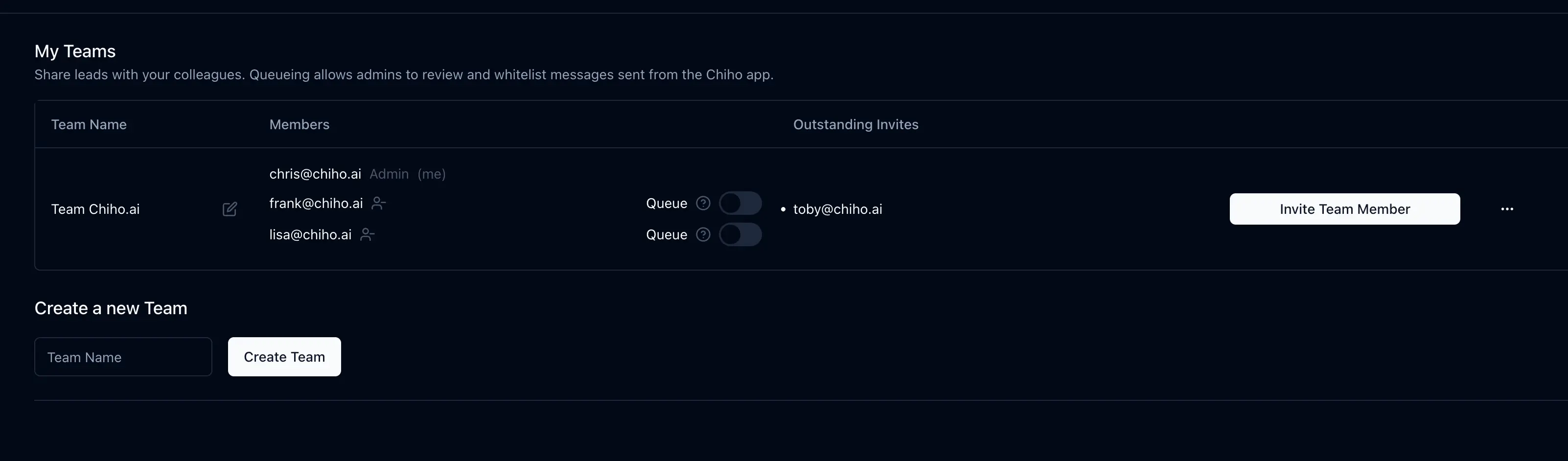
When evaluating Chiho, complete the installation, browser authorization, identity check and bounded source-backed read before separately requesting a task or message action. The interface image is general Chiho context, not evidence that this acceptance exercise was performed.
Run the same acceptance exercise on each finalist
Use authorized test accounts and synthetic conversations. This is a proposed evaluation exercise, not a study with recorded results. Decide the pass conditions before trying any product.
Imagine a customer asks for a revised proposal. Alex must prepare it; Jo takes over tomorrow. The deadline is part of this fictional scenario, not a promise to a real customer.
- Prove the entry point. Create the enquiry through the intended identity: an account conversation or the vendor-connected bot. Record which identity the customer sees and whether the message reaches the tool.
- Prove the record. Save the confirmed request, next action, and deadline using supported fields. Distinguish a manually written note from an automatically created task. Check for duplicate customer records.
- Prove handover. Have Jo sign in separately and find the request, source context, and next action without using Alex's session. Record missing context and any manual explanation needed.
- Prove reply control. In a test chat, inspect who can draft, send, approve, and cancel the relevant action. Verify the sender identity. A saved task or draft is not a sent message.
- Prove recovery. In the test environment, disconnect or revoke the integration using its supported controls. Check the visible failure and reconnection process before depending on it for customer commitments.
- Prove exit. Request or test the needed export. Inspect which notes, tasks, identities, timestamps, and conversation context it actually contains; do not assume an export includes everything visible on screen.
For each step, record pass, fail, or unverified, the plan tested, date, evidence, and required workaround. Treat wrong conversation access, unauthorized visibility, or the wrong outbound identity as disqualifying failures for that workflow. Do not average them away with a feature score.
The follow-up guide helps define the next-action task. The response-time guide helps specify what a reporting test should count instead of accepting a dashboard label at face value.
Compare the full purchase, not just a monthly headline
No current price comparison was established for this article. Obtain a dated quote for the same scenario from each finalist: your staff count, connected accounts or bots, expected usage, automation needs, reporting, and export requirements. Ask about minimum commitments, onboarding charges, usage overages, and cancellation terms. Mark a missing answer as unknown rather than free or unavailable.
Ask separately about data retention, deletion, hosting, and who can access imported conversations. Use your team's actual requirements as acceptance conditions. A list of security terms is not proof that the intended configuration meets them.
Choose the workflow that passes your requirements
If existing account conversations and persistent follow-up context are essential, evaluate Chiho against those requirements. If the customer journey can start at a bot, test Kommo for the lead pipeline and respond.io or Trengo for the workspace flow described above. If Telegram alone passes your small-team exercise, retain it as a valid option.
To evaluate Chiho, create an account, connect only an authorized test account, and work through one scoped team handover. Review the privacy policy and company deployment page before moving real shared customer context into the chosen configuration.